
Manage Report
There are numerous reports within the Phenix system. Many are core reports that are pre-installed for your organization. However you may add customized reports and edit core reports.
Beginning at the main screen, select Admin, then System from the drop-down menu. This will launch the System menu. Select Manage Reports.
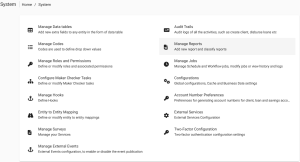
This section might live within the Custom Reports section.
View Reports
Once you have have selected Manage Reports, Phenix will generate a list of all currently available reports. This will appear in alphabetical order, but you may filter the results by using the Filter by Name field at the top of the list.
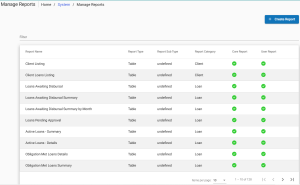
Click on the report to open its detail page. From there you can Edit or Delete a report as well as see all of its attributes. Information included on this page include:
- Report Type
- Report Subtype (if applicable)
- Report Category
- is the report a Core Report?
- Is the report a User Report?
