
Loan Product Account
How to Create a Loan Product Account?
Loan accounts can be created for active clients, active groups, or members of active groups.
Creating a Loan Application for a Client
- Search for the desired client using the global search feature.
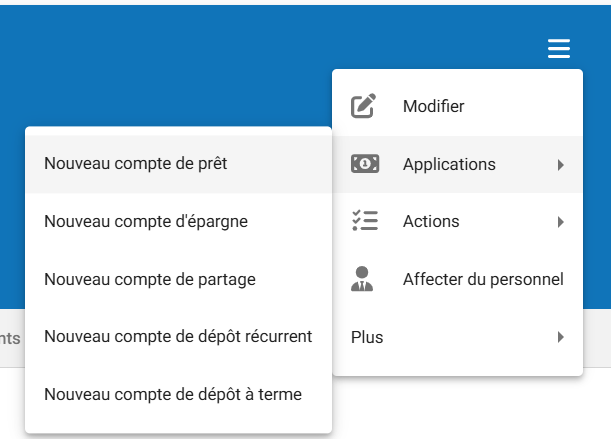
- Once the client’s information is displayed, click the hamburger menu (☰).
- Select Applications, then click New Loan Account.

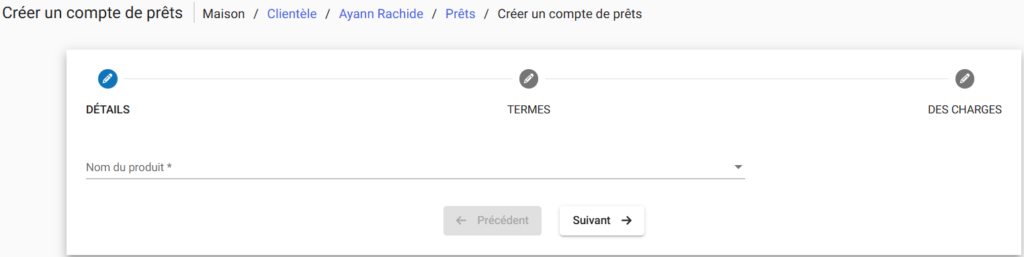
Selecting the Loan Product and Submitting the Application
- Select the loan product on which the loan account will be based from the list of available products.
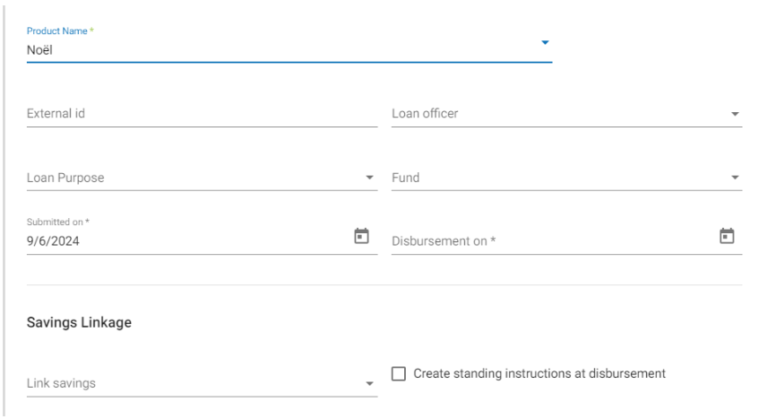
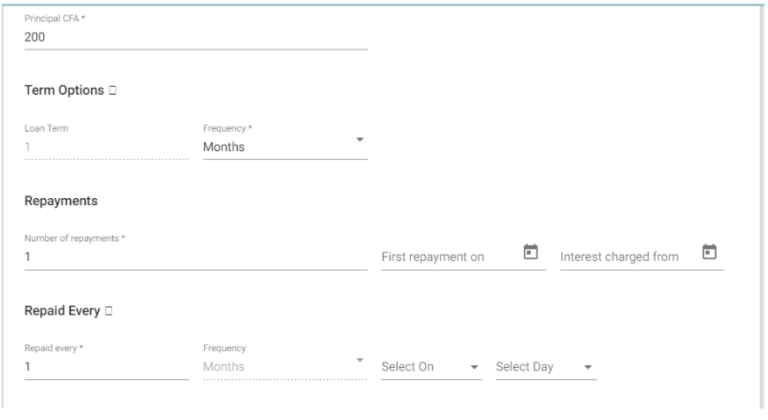
- Complete the loan account fields, modifying the default values where permitted and appropriate for the application.
- Click Submit.
Once the application is submitted, the loan account will be created with the status Pending Approval.

Creating a Loan Account Application for a Group
A loan account application will be created with the status Pending Approval.
Your financial institution defines the approval workflow and the required permissions for loan approval.
Steps to Create a Loan Application for a Group
- Search for the desired group using the global search feature.
- Once on the selected group’s page, click the hamburger menu (☰).
- Select Applications, then click Group Loan Application.
